.png)
How 21 Days of Hope Works & the Steps to Set It Up
How 21 Days of Hope Works ✝️
Before reading below, you may watch this video to accompany the written description: https://vimeo.com/1170088239?share=copy&fl=sv&fe=ci
-
Preparation and Promotion
- Access Resources: You can find the 21 Days of Hope guide, artwork files, and pre-written scripts at https://churchfuel.com/resource/21-days-of-hope-guide/.
- Timeline: Start promoting the campaign to your congregation no later than 2 weeks before you want your campaign to start.
- Example: If 21 days before Easter is March 15th, you would want to start promoting to your church by at least March 1st.
- In-Service Promotion: Use the provided graphics on your church screens to assist with the invitation during your service. You can find all artwork files linked in the 21 Days of Hope Guide here: https://churchfuel.com/resource/21-days-of-hope-guide/.
-
Announcement Scripts: You can find Announcement Script examples in the 21 Days of Hope Guide here: https://churchfuel.com/resource/21-days-of-hope-guide/. These scripts show you exactly what to say on stage to explain how this journey provides hope and outreach opportunities.
Member Opt-In & Enrollment
- Keyword Activation: Instruct church members to text the word "hope" to your church’s phone number. If you are using the Church Fuel Software, this would be the number Church Fuel gave you for your church.
- Church URL: When people text that number, the software is set up to send them a URL that goes to a form where they can opt in to your 21 Days of Hope campaign.
- NOTE: The campaign is set up in the software so that IF you already have their contact information, they will not have to fill out the form; they will just automatically be opted into the text. IF NOT, see the enrollment step below.
- Enrollment: Once they submit the form, they will be enrolled to receive daily emails and text messages.
-
No Phone Number: If for some reason your church does not have an active phone number, you can still do the campaign. You may just need to use the form URL or your 21 Days of Hope QR Code in the software for people to get to the form to opt in. In this case, your church can still run the campaign, but you will only be able to send emails, not texts.
The 21-Day Experience
- Automated Content: Members receive 21 days of automated texts and emails from your church leaders.
- Daily Devotionals: These messages contain devotions on hope to get their hearts prepared and ready for Easter.
- Evangelism Training: The content inspires members to share their own testimonies and equips them with resources to invite friends and family to the service.
- Community Invitation: The congregation actively invites their community to your Easter service based on the training received.
-
Ready Hearts💕: Everyone arrives at the Easter weekend services with their hearts fully prepared.
Software Integration & Support
- Built-In Workflows: For those using Church Fuel software, the entire experience—including the form, email/text sequences, and timing—is already built and ready for you.
- Live Support: If you need assistance, you can attend one of the daily live support calls to see how to make this a possibility for your church. You can reserve your spot at: https://churchfuel.com/support
- Non-Software Users: If you are not using the software, you can find all the content for 21 Days of Hope to build on whichever platform you prefer in the 21 Days of Hope Guide here: https://churchfuel.com/resource/21-days-of-hope-guide/.
How to Access, Set Up and Edit 21 Days of Hope in the Church Fuel Software 💻
Before reading below, watch this video to accompany the written description: https://vimeo.com/1170104196?share=copy&fl=sv&fe=ci
-
Accessing the Dashboard 0:00
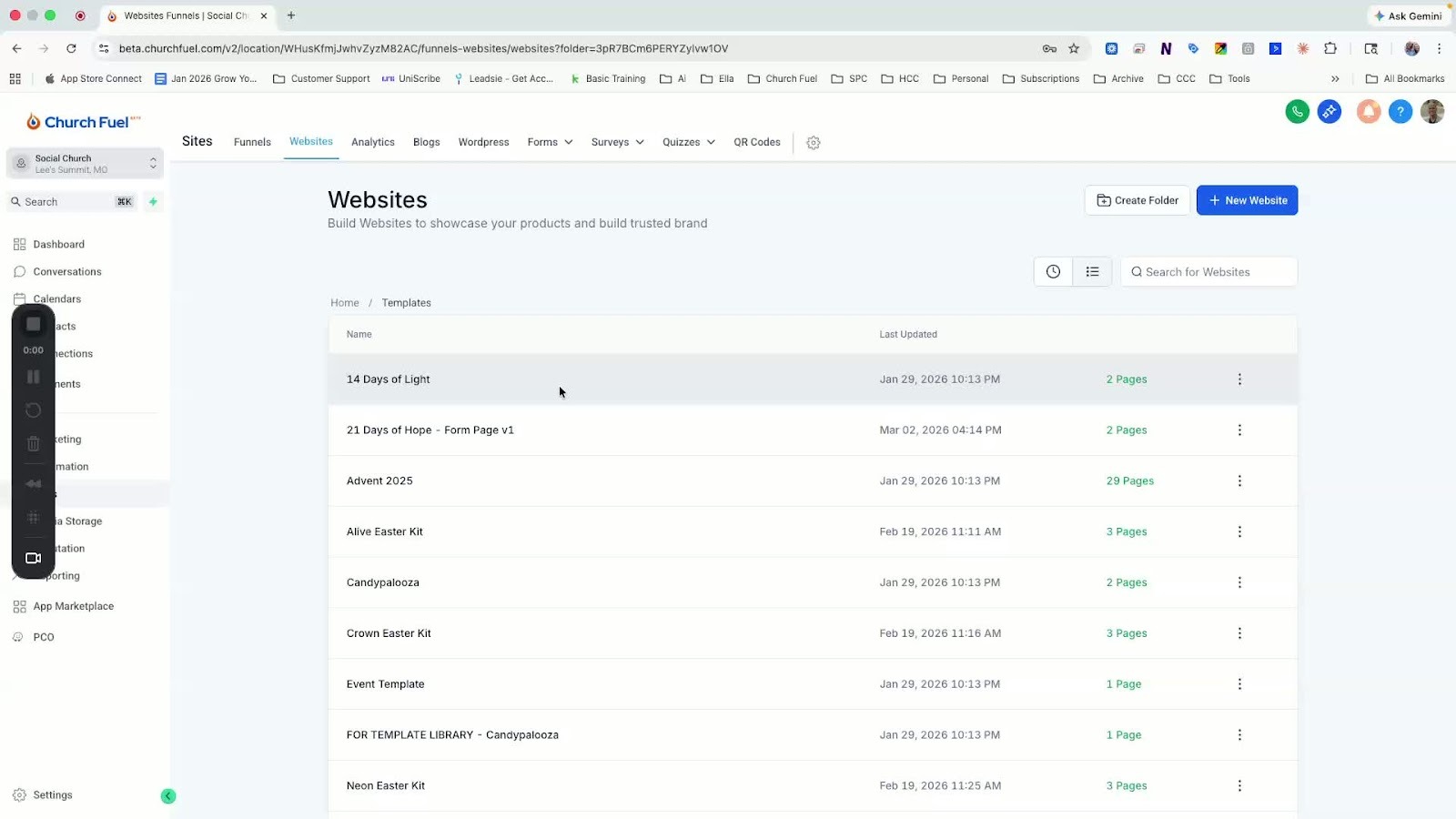
- Log into your account.
- Navigate to the Sites section on the left menu.
- Click on Websites in the top menu.
-
Creating a New Website 0:19
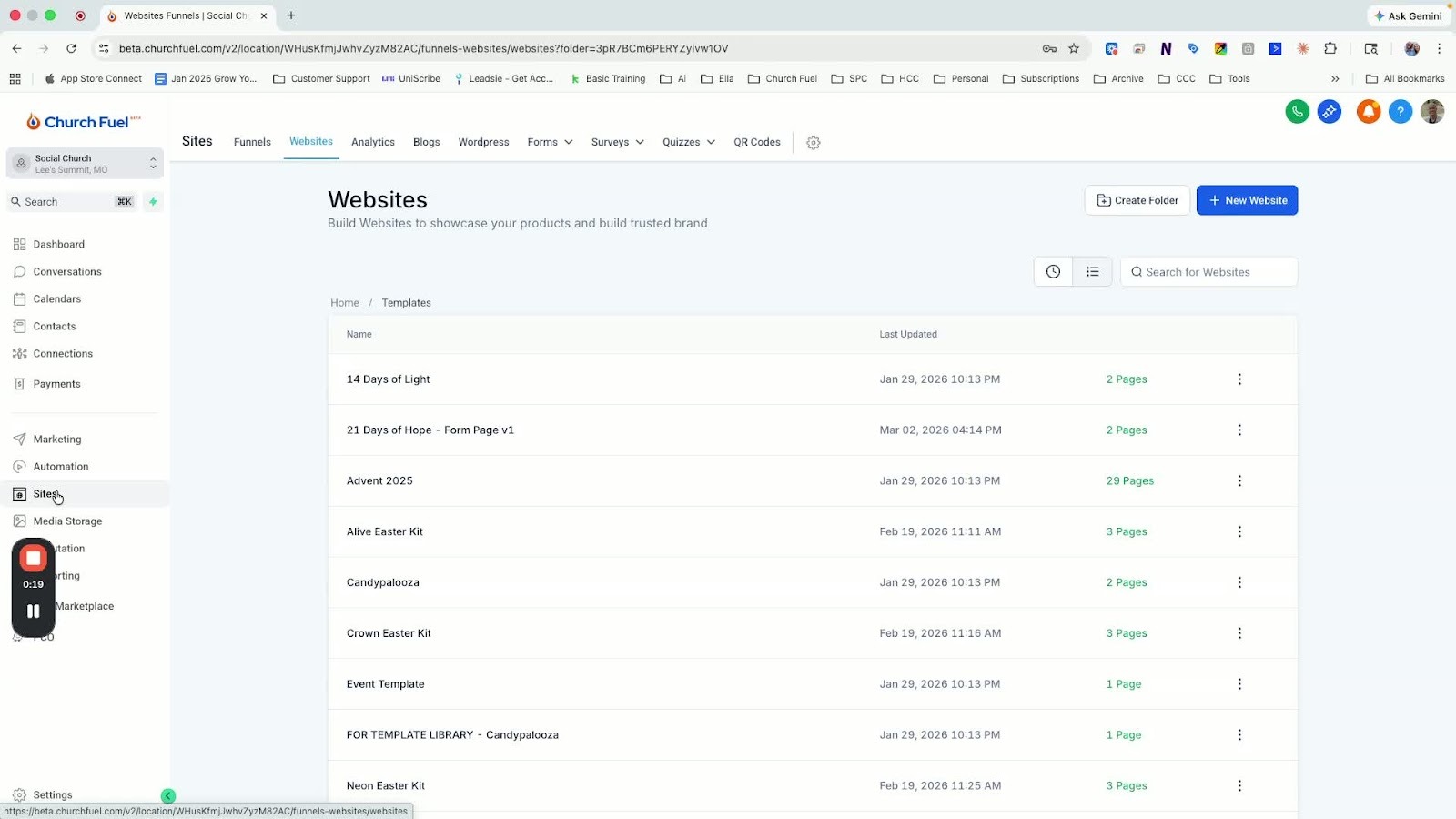
- Click on New Website.
- Select From Templates and click Continue.
- Choose the 21 Days of Hope template and click Choose Template.
-
Locating the Template 0:36
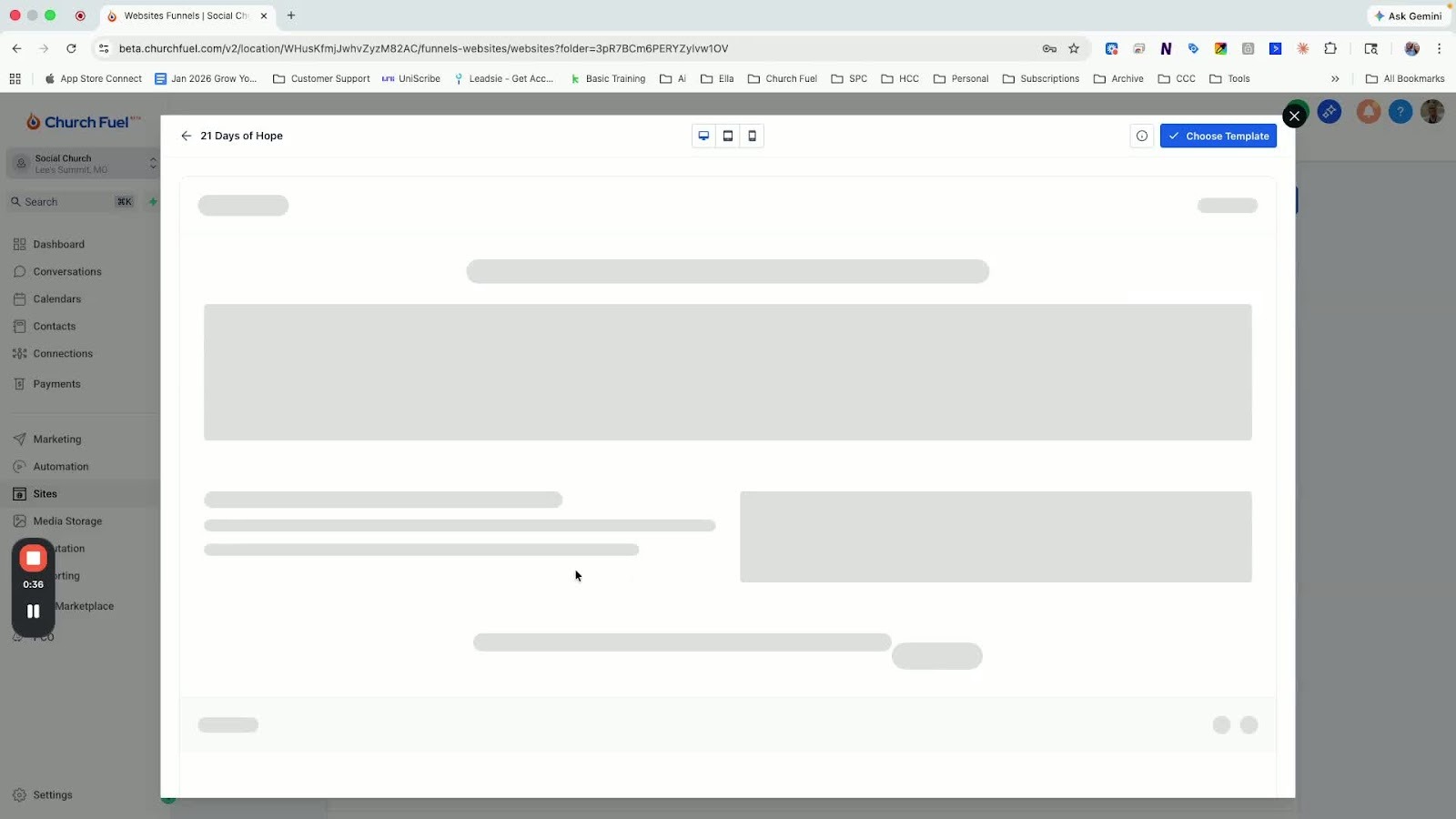
- Wait for the template to download.
- Use the search bar and type 21 to easily find the template.
-
Configuring Domain Settings 1:07
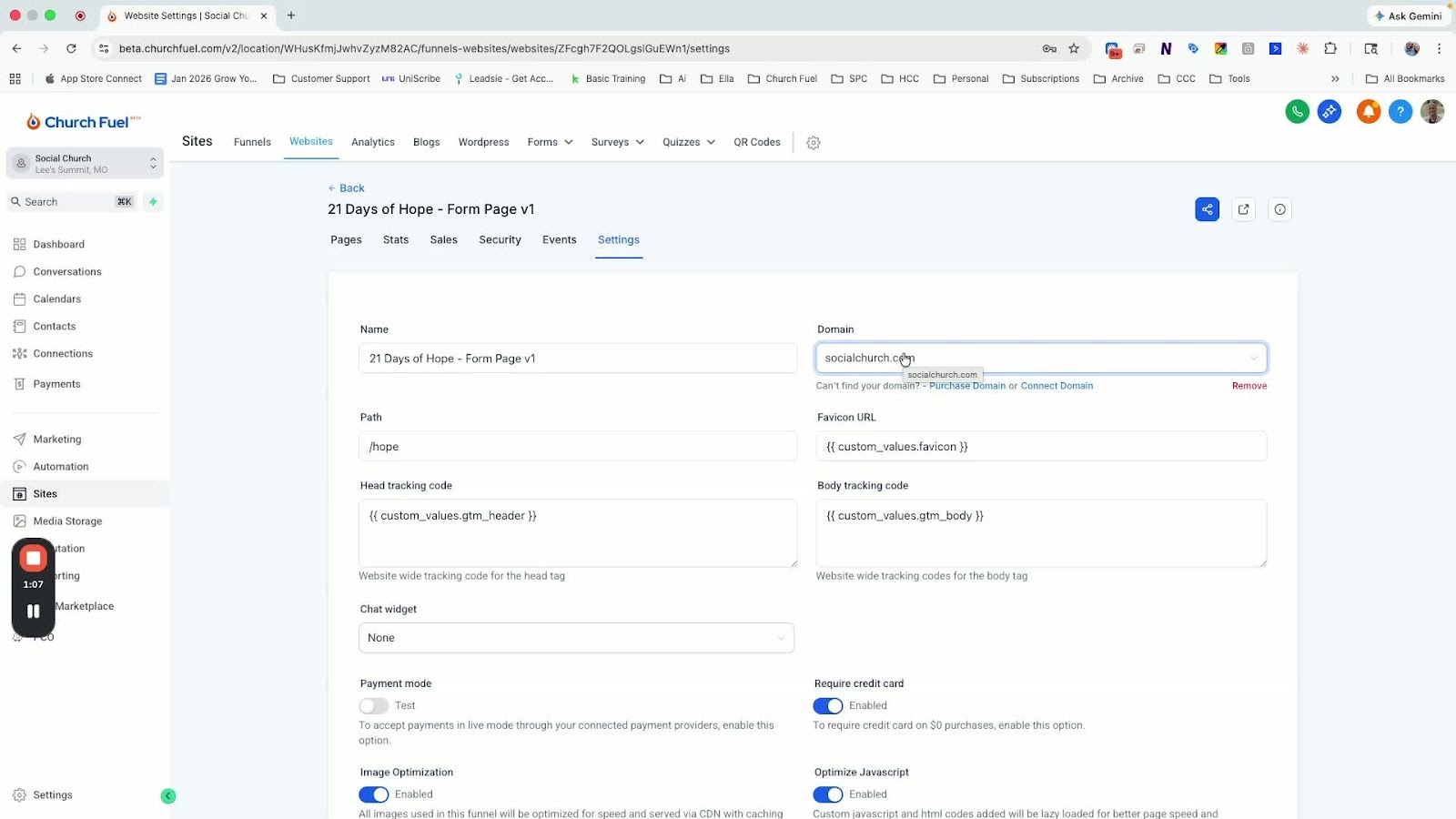
- Click on Settings.
- From the dropdown menu, select your church's URL to connect the domain.
-
Adding Custom Values 1:25
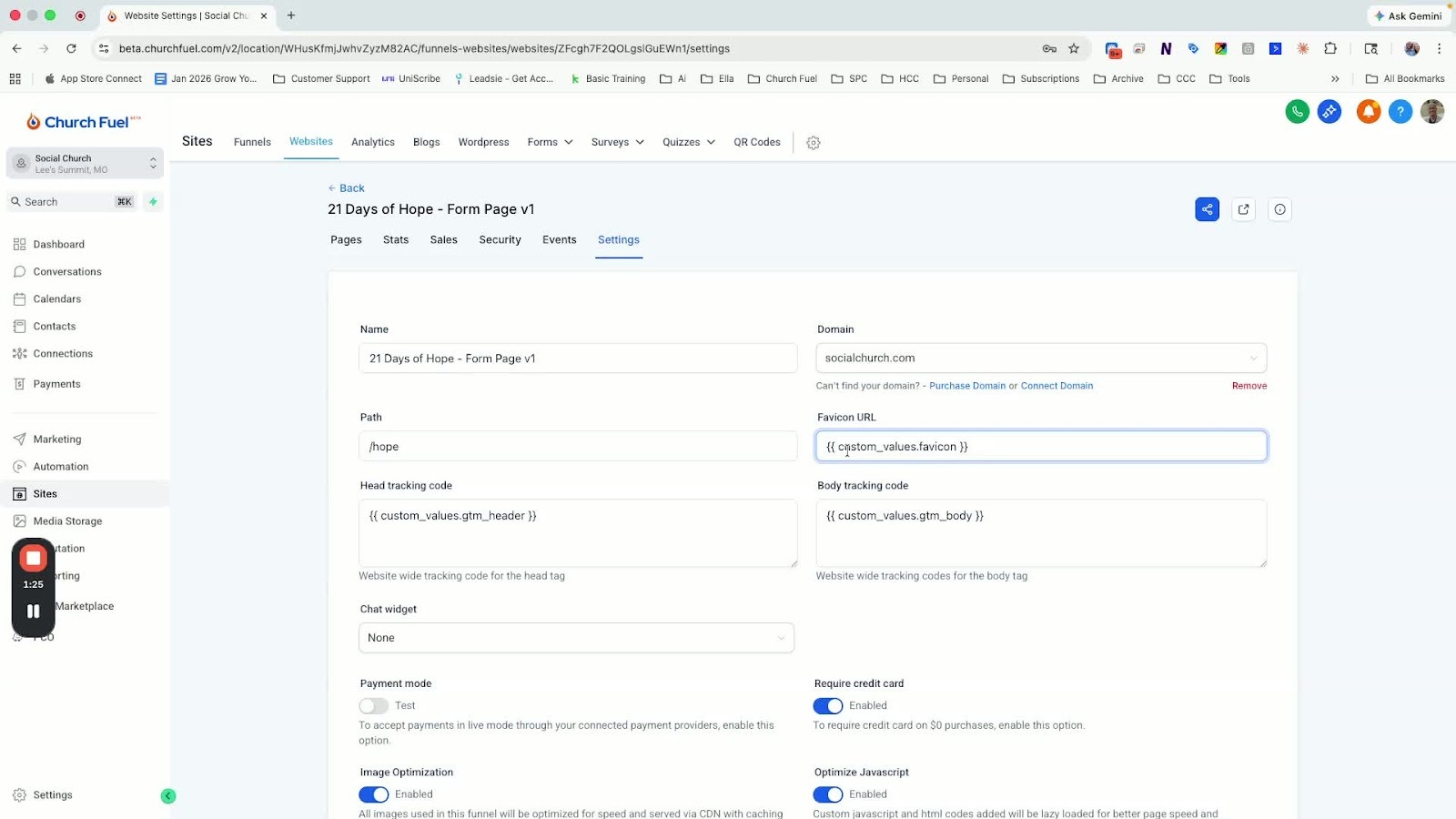
- Enter the following custom value exactly:
- {{ custom_values.favicon }}
- {{ custom_values.gtm_header }}
- {{ custom_values.gtm_body }}
- Copy this from another website if necessary.
-
Saving Settings 2:20
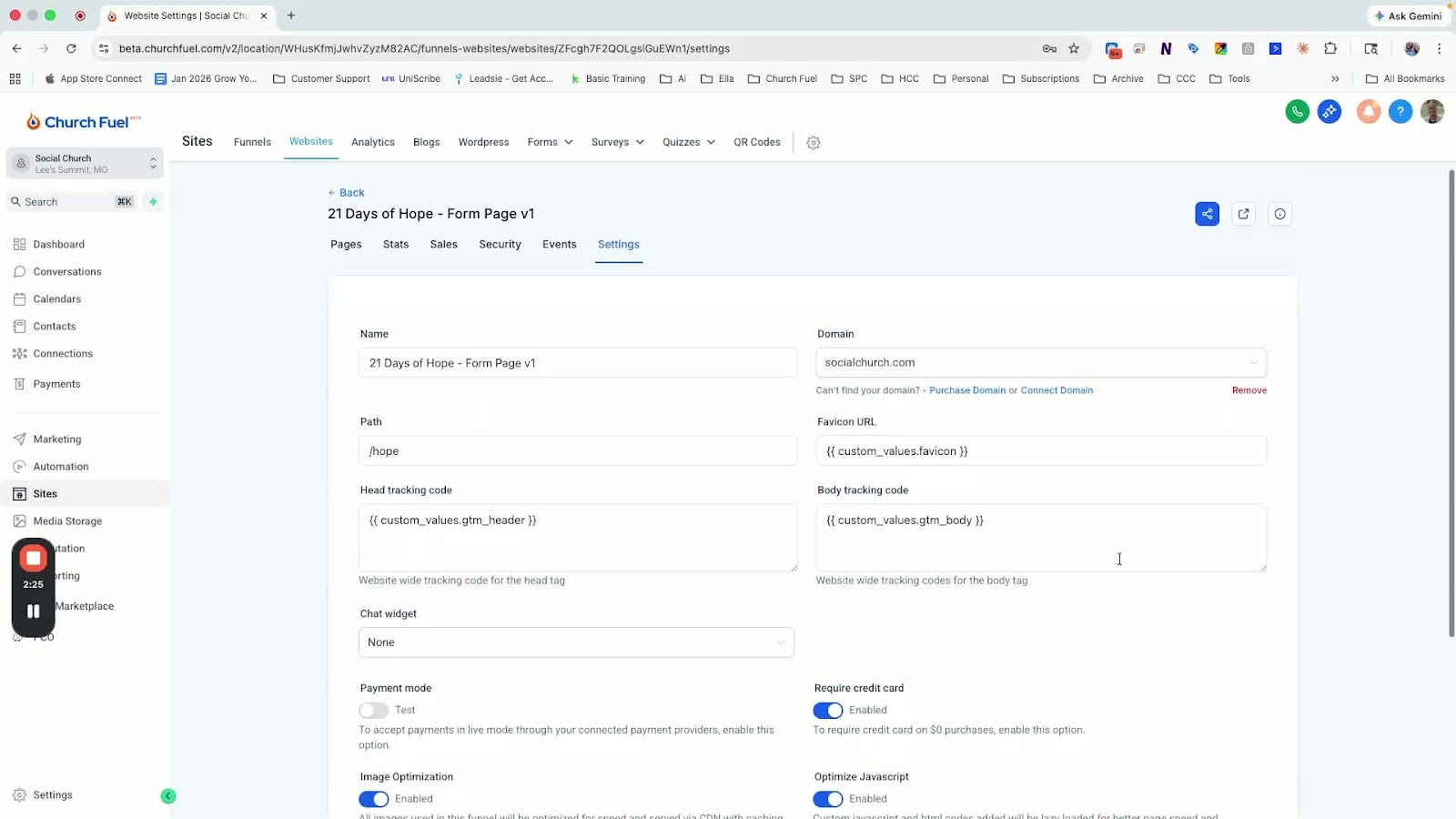
- After entering the custom values, scroll down and click Save.
-
Editing the Page 2:34
- Click on the Edit button for the 21 Days of Hope page.
- Ensure the correct form is populated; if not, select the 21 Days of Hope Sign Up-v1 form.
-
Publishing the Page 3:04
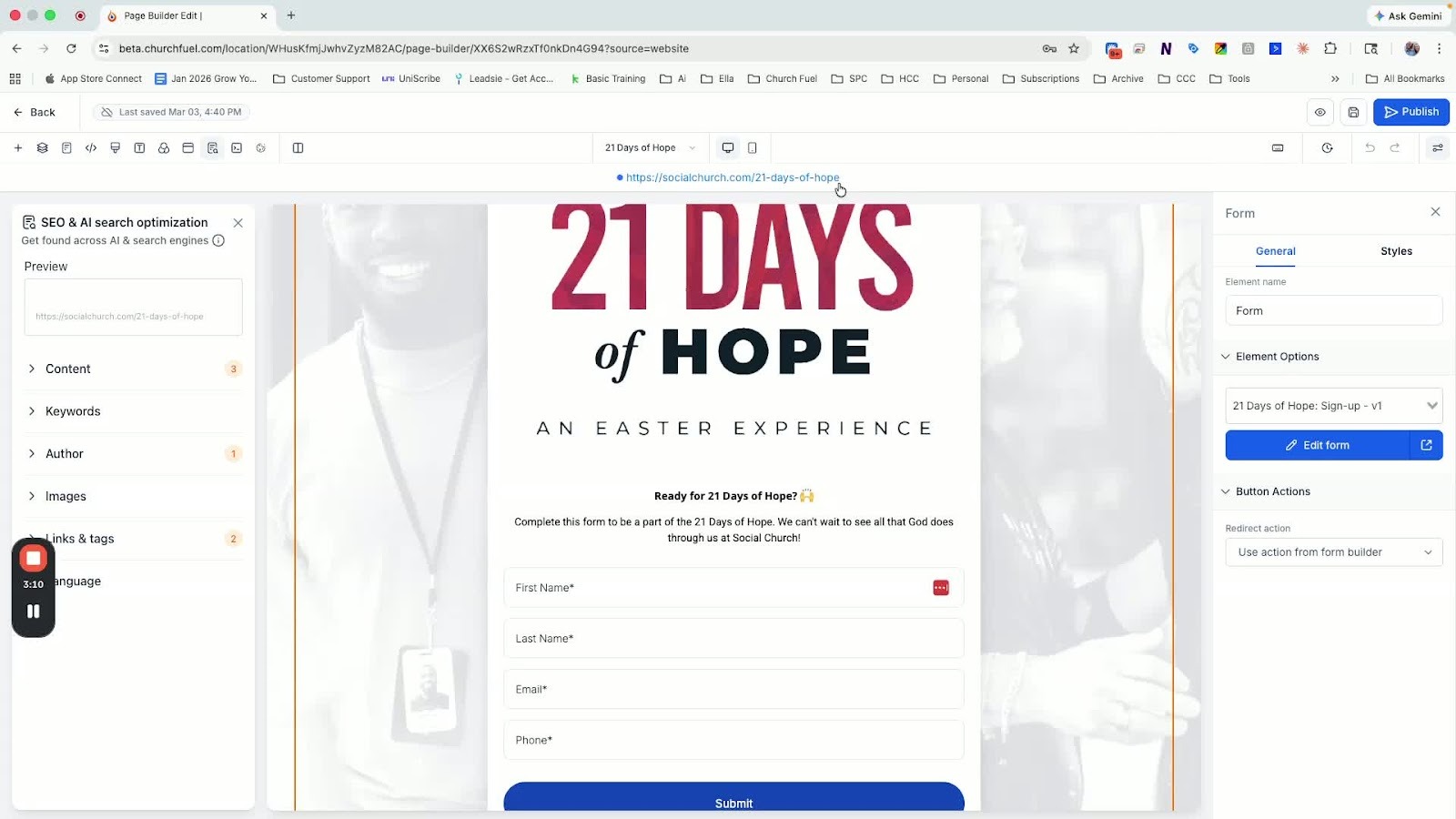
- Click Publish to make the page live.
-
Checking the Landing Pages 4:25
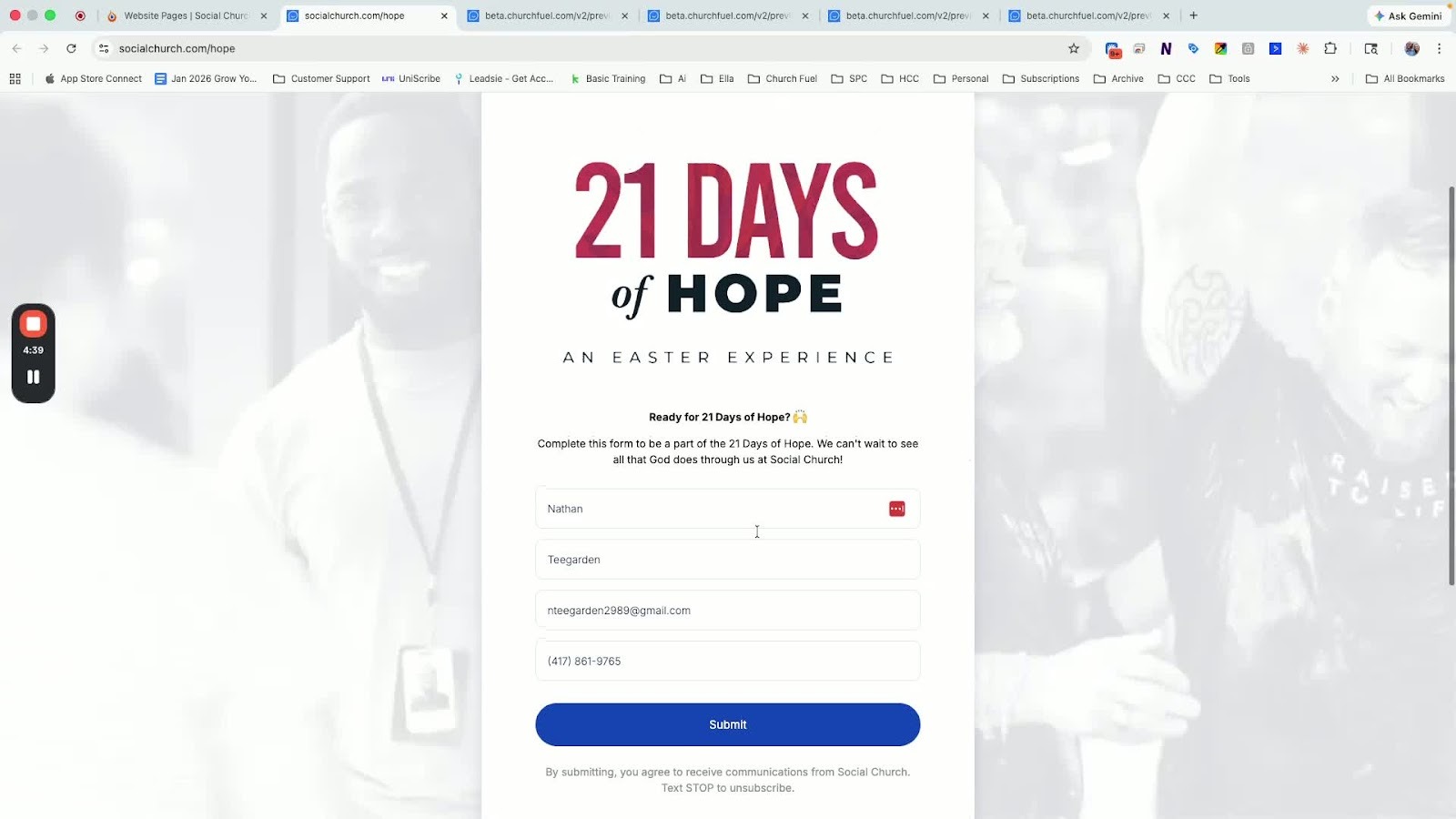
- Verify that the landing pages are live by clicking the preview icon in the upper right corner.
-
Setting Up Automation 4:51
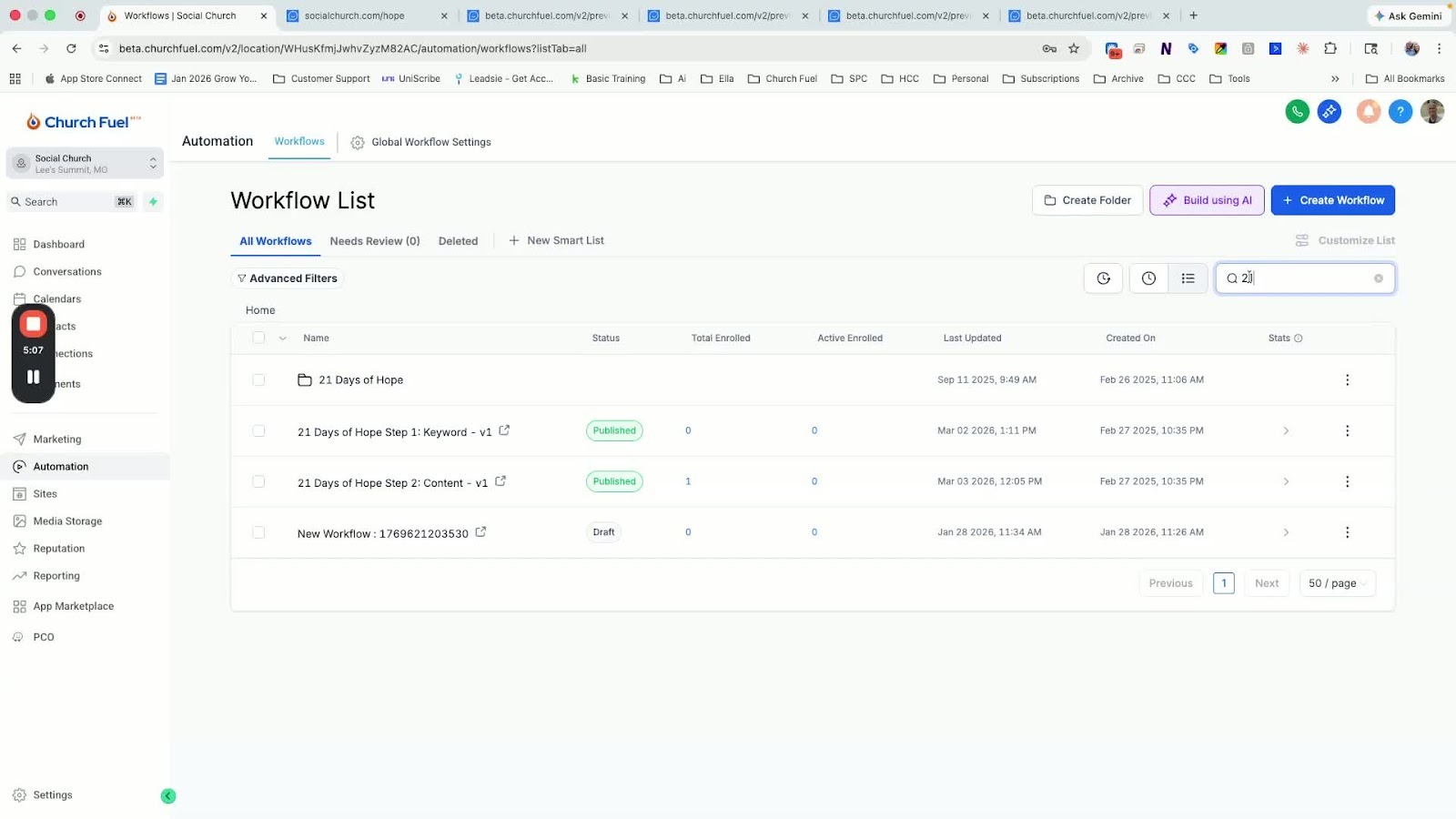
- Navigate to the Automation section.
- Search for 21 to find the relevant automation folder.
-
Configuring Opt-In Keywords 5:14
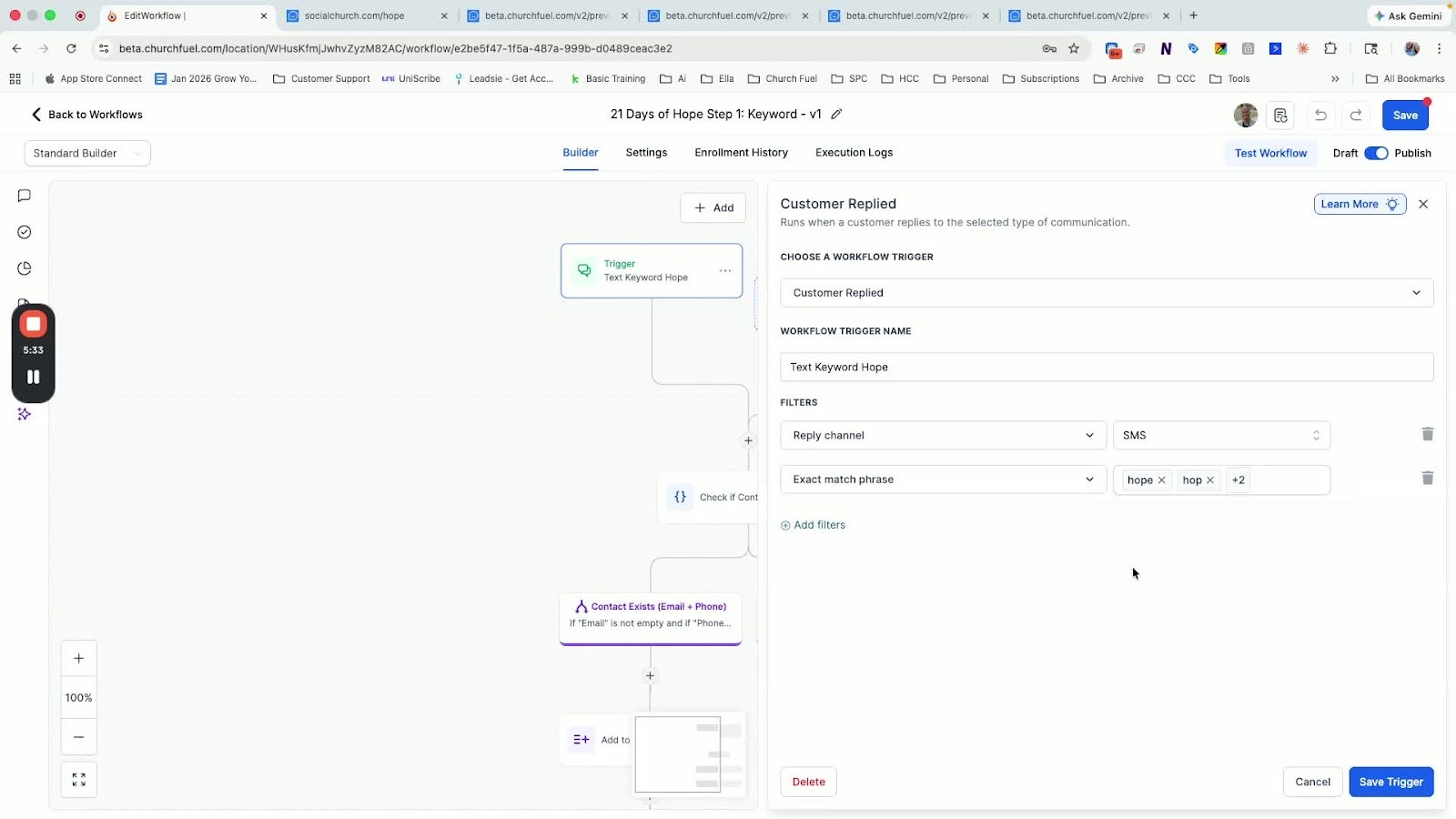
- Ensure that keywords like hope, hop, or hopes are set up for text opt-ins.
-
Reviewing Content Workflow 7:34
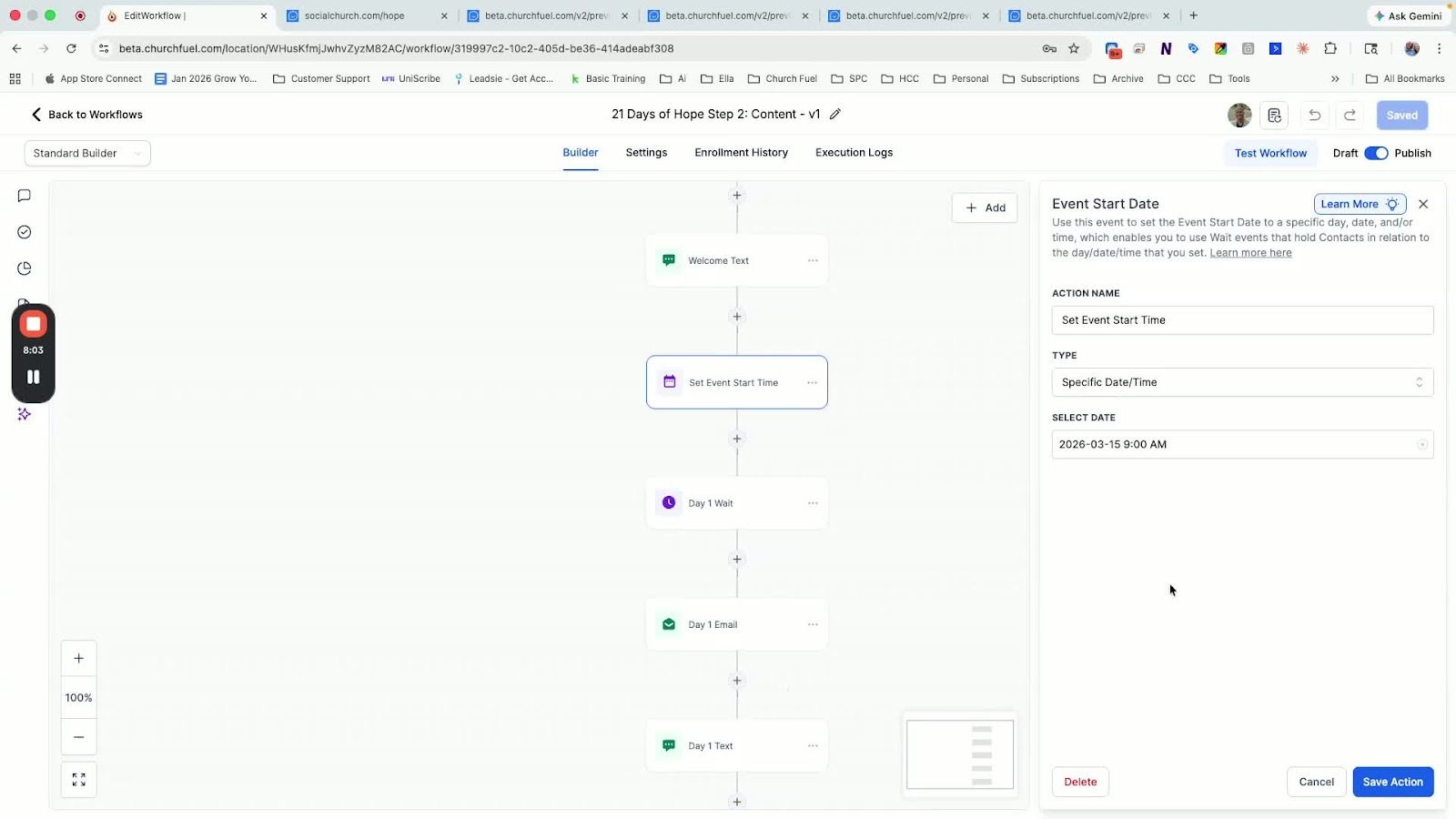
- Check the content workflow to ensure welcome emails and texts are set up correctly.
-
Using QR Codes for Opt-In 9:17
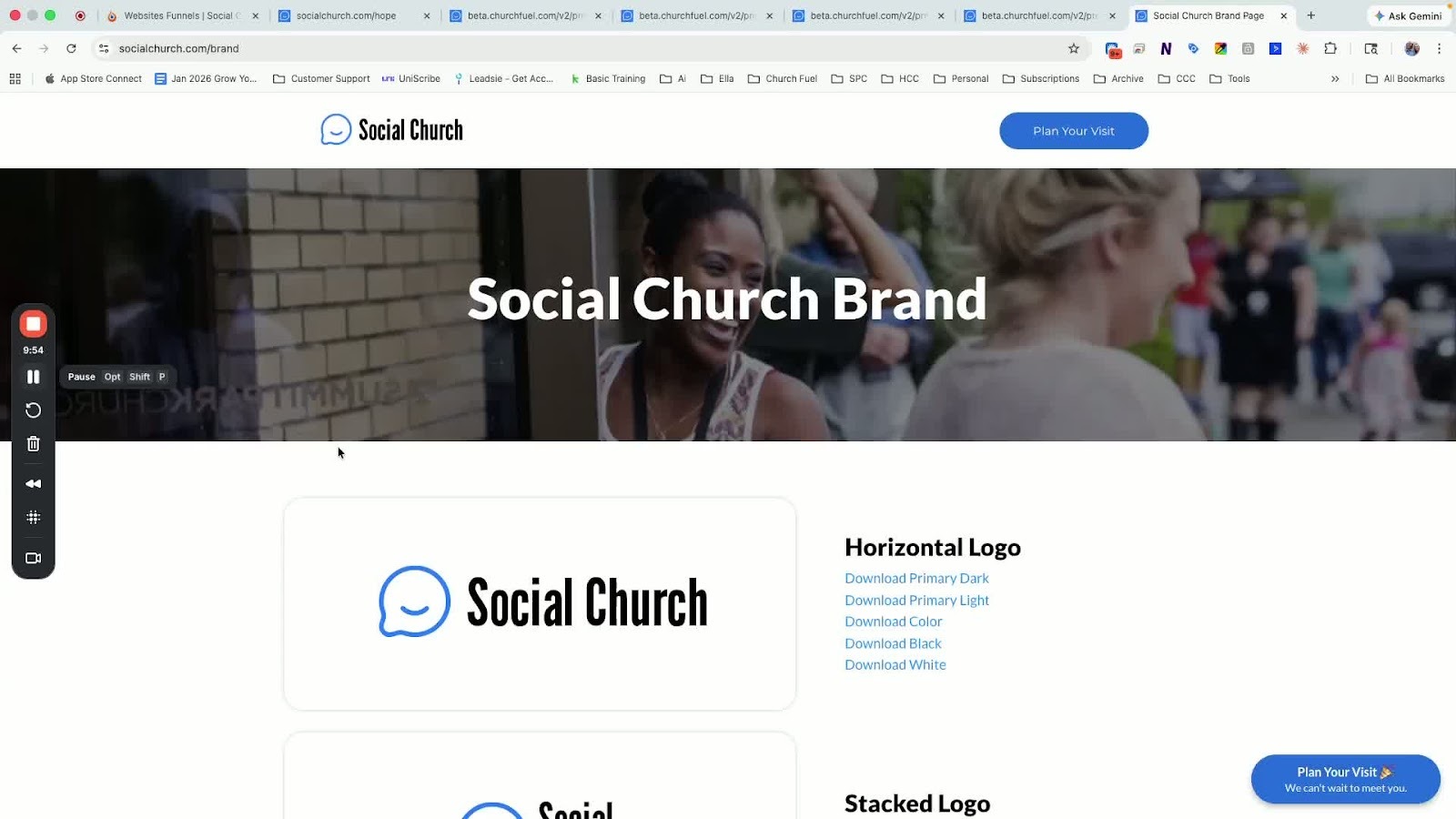
- Access a QR code at your brand page.
- Display the QR code on slides or print cards for easy access.
Cautionary Notes
- Ensure the domain is connected before attempting to publish the page.
- Do not change the event start time in the content workflow as it may disrupt the schedule.
Tips for Efficiency
- Use the search function frequently to quickly locate templates and settings.
- Keep a notepad app handy to copy and paste custom values for efficiency.
FAQ's
What are "Congregation Invites"?
Congregation invites occur when your members actively invite others to church via
word-of-mouth, text messages, social media shares, or physical invite cards. Designed
to provide daily devotionals to your congregation, its goal is to activate your members
to share their testimonies and invite friends to Easter. Personal invitation remains the
simplest and most impactful form of outreach.
What is the "21 Days of Hope" campaign?
It is a 21-day digital missions trip for your congregation. Members opt in to receive daily
automated texts and emails containing devotionals, scriptures, and prompts. These
resources encourage them to share their testimony and invite friends and family to
Easter services.
Why is this campaign important for Easter?
Research shows that nearly 50% of Americans plan to attend church on Easter. Most
importantly, more than half of those who don't plan to attend say they likely would if
someone they knew invited them. This campaign equips your members to make those
vital personal invitations.
When does the campaign start?
● Day Zero: March 15th
● First Message Sent: Monday, March 16th
How do people join the campaign?
Congregants join by texting the keyword HOPE to your church’s phone number. If they
are already in your system, they are opted in instantly. If they are new, they will be
prompted to provide their name and email.
What if I don't have a church phone number yet?
You can use the QR code option. Download the 21 Days of Hope QR code from your
brand page (visit.yourchurchurl/brand) and display it on screens or printed cards.
What happens if someone signs up late (after March 16th)?
The system is designed to skip them ahead to the current day everyone else is on so
the congregation stays in sync.
Is this program for my congregation or for visitors?
It is primarily designed for your existing congregation. It is intended to equip and inspire
them to "share their hope" and invite others to Easter services.
Should we run Facebook ads for the 21 Days of Hope campaign?
No. This campaign is specifically designed for your existing congregation to help them
connect with their friends and community. It is an internal activation tool, not an external
outreach ad.
I am not currently using the Church Fuel software. Can I still use 21
Days of Hope?
Yes! You can access the 21 Days of Hope Guide through the general member
dashboard at churchfuel.com. It is included in all six Easter Kits or can be found by
searching the Resource Library. The guide provides a Google Doc with:
● Artwork and announcement scripts.
● Pre-written email and text content.
● A suggested 21-day numerical timeline. You can manually copy this content into
platforms like MailChimp, Planning Center, Text in Church, or Glue.
⚙️ Technical Setup & Automation
How do I set up the 21 Days of Hope in the Church Fuel software?
- Log in to beta.churchfuel.com.
- Click Sites on the left menu, then Websites at the top.
- Locate the 21 Days of Hope - Form Page V1.
- Click Settings and connect your domain (e.g., visit.yourchurch.com).
- Ensure "Custom Values" are filled in for your favicon and analytics, then clickSave.What happens when someone texts "HOPE" to our church number?● Existing Members: If the system recognizes their email and name, they are automatically opted in. They receive a text saying "You're in!" without having to fill out a form.● New Contacts: The system will reply with a link to a mobile form. Once theyp rovide their name and email, they are enrolled in the automation.
📱 Troubleshooting & Alternative Opt-ins
What if we don't have our church phone number yet due to industry
restrictions?
If your phone number is still pending approval, you can use a QR Code.
- Go to your brand page (visit.yourchurchurl.com/brand).
- Scroll to the bottom to find the 21 Days of Hope QR Code.
- Download and place this code on stickers, seat backs, or digital slides. When scanned, it takes users directly to the opt-in form.Where can I find announcement scripts and graphics?All resources are located in the Easter Kit (Step 2) under the 21 Days of Hope Guide.This includes 16x9 branded slides, overview videos, and word-for-word scripts to help you promote the campaign from the stage.
🛠 Software & Setup
Where do I log in to the Church Fuel software?
You can log in at beta.churchfuel.com.
Where do I find my church's assigned phone number?
There are two quick ways to find it:
- Go to Settings > Phone System.
- Click the Phone Icon at the top right of the software dashboard.I’m still waiting for my login or software setup. Can I still participate?Yes! You can still access the Easter kits and resources at churchfuel.com/easter and use them manually even if your software setup isn't fully complete.
🌐 Landing Pages & Technical Questions
What should our URL/Domain be for the landing pages?
Most churches use the format: visit.[yourdomain].com.
Should I change the URL path for 21 Days of Hope?
No. Keep the path as /hope, as the provided QR codes are pre-configured to point to
that specific link. (Note: Easter pages should point to /easter26).
Where can I find my QR codes?
You can view your brand assets and QR codes at: visit.[yourdomain].com/brand.
What are the custom values for the header and body tracking?
Use these exact strings in your form settings:
● Favicon: {{custom_values.favicon}}
● Header: {{custom_values.gtm_header}}
● Body: {{custom_values.gtm_body}}
What is the difference between a "General" and "Custom" Easter
landing page?
● General Page: Every software user gets one automatically. It is unbranded and
uses a general "Plan Your Visit" call to action.
● Custom Page: This is built using a template and allows you to include specific
service times and your "Offer Stack" (e.g., Egg Hunts, Build-A-Basket).
Do I have to build a custom landing page?
If your Easter services are exactly like a normal weekend, the general page is fine.
However, if you have special events or different service times, a custom page is
recommended so the "page tells the story" of what guests can expect.
Should I create separate pages for special events like
"Build-A-Basket"?
It is usually better to keep everything on one Easter landing page. This keeps all traffic
in one place and focuses the visitor on one primary call to action: Plan Your Visit.
🚀 Facebook & Google Ads
When is the deadline for Facebook Ad requests?
The due date is March 19th. You must be fully set up in the Church Fuel software for
the team to launch these for you.
Why aren't my Facebook Ads running yet?
Easter ads are launched exactly 10 days before the event. Running them earlier often
leads to wasted budget and leads who "drop off" before the service. Facebook is most
effective when building urgent momentum.
Do I need to provide video for my Facebook Ads?
No, it is not required. However, if you have "selfie-style" invite videos, the team
encourages you to upload them to your media storage in a folder titled "Easter FB
Ads."
Do I need to build a custom landing page for my ads?
Every church in the software gets a generic Easter page automatically. You can run
ads to that, but if you have specific service times, an egg hunt, or a "Build-A-Basket"
event, you should edit the custom landing page so the "offer stack" is accurate.
📅 Deadlines & Dates
When is the deadline for Easter Ad requests?
● Google Ads: The deadline is today (March 5, 2026).
● Facebook Ads: The request form must be submitted by March 19th.
When do Easter Ads actually start running?
Ads are scheduled to begin running between March 25th and 26th.
When does the "21 Days of Hope" program officially start?
The official start day is March 16th. If you are using the Church Fuel software, Day 1 content will trigger on this date to lead
up to Easter.
🛠 Software, Communications & Technical Setup
What "Custom Values" should I avoid editing?
On your landing page templates, do not manually edit fields like the church name or
address. These are "Custom Values" pulled automatically from your account settings.
You should, however, edit your specific "offer stack" (e.g., bunny petting zoo, breakfast
times).
Can I use 21 Days of Hope if I’m not in the Church Fuel software?
Yes. You can access the 21 Days of Hope Guide in the resource library. It contains a
Google Doc with all the artwork, scripts, and written content. You will just need to
manually build the email/text workflows in your own platform (like MailChimp or
Planning Center).
Do I need ManyChat or a separate texting service for Facebook lead
conversations?
No. The Church Fuel software replaces the need for ManyChat or short-code texting
services, allowing all relational conversations to happen in one dashboard through its
Conversations Page – where you can manage all lead interactions in one place!
Do I need a separate texting platform?
Generally, no. The software’s texting feature is designed to feel more relational and
personal than standard "short code" services. Unless you have a very specific use case,
the built-in texting is sufficient.
My 21 Days of Hope messages are showing blank spaces for service
times. How do I fix this?
This usually means your Custom Values are not populated. You must enter your
specific Easter name, service times, and church address in the dashboard settings for
the software to automatically pull that information into your messages.
📊 Easter Strategy & Logistics
How do I plan for supplies if I don't know exactly how many people
are coming?
Always have a pivot plan or backup supplies. If you are doing "Build-A-Basket" and run
out of baskets, have paper bags ready. If you run out of space, have an outdoor
alternative. A high turnout is a "good problem," but it requires a plan for those who
arrive late.
How can I use "Plan Your Visit" to manage limited supplies?
You can use the registration to "guarantee" an item (like an Easter basket) for a child.
The software allows you to cap registrations at a certain number. Once full, you can
pivot the messaging to offer an alternative experience.
📊 Attendance & Planning Metrics
How can we use "Plan Your Visit" registrations to predict actual
attendance?
A helpful "rule of thumb" used by experienced churches is the 50/50 Rule:
● Expect roughly half of the people who signed up in advance to actually show up.
● Expect an equal number of people (compared to your total sign-ups) to show up
at the door unannounced.
● Example: If 300 people sign up, you can generally prepare for roughly 300 total
attendees (150 from the signup list + 150 walk-ins).
What should we do if we run out of supplies for a special Easter event?
Have a "pivot plan." This involves having a similar, secondary activity ready to go. The
speaker notes that latecomers won't know they missed the "original" plan; they will
simply enjoy the experience you have available.
⛪ Service Structure & Experience
Should our Easter service be different from our normal Sunday
services?
The consensus among the speakers is to keep the "flavor" of the service consistent with
a normal weekend. The goal is for a guest to return the following week and not feel like
they walked into a completely different church.
● Easter: Often similar to a standard Sunday but perhaps slightly shorter to allow
for faster "turnover" between multiple service times.
● Christmas: Generally seen as the time for more "special" elements (candlelight,
cantatas, etc.) because expectations are different.
How do we handle the increased crowd flow?
If you are adding more services than usual, plan to shorten the service slightly. This
ensures you can clear the parking lot and lobby and reset the sanctuary in time for the
next group.
🐣 Attractions & Hospitality
What are some effective Easter "attractions" for families?
Try one of these successful lobby and hallway activations:
● Photo Ops: Setting up themed areas in the lobby for family pictures.
● Petting Zoos: A "Bunny Petting Zoo" or "Hop and Stop" station located along the
path to the children’s ministry area.
● Themed Hallways: Decorating the transition areas to the kids' wing to create
excitement from the moment they enter.
📝 Capturing Visitor Data
Why is "Plan Your Visit" better than a standard Connect Card for
Easter?
Easter brings in many "out-of-towners" (likeGrandmas visiting from Florida) who are
unlikely to fill out a Connect Card because they won't be returning.
● Documented People: Using "Plan Your Visit" allows you to identify and capture
data for local residents before they arrive, so you can focus your follow-up efforts
on those who actually live in your community.
🎥 Replays & Resources
Where can I find the recording or notes from this call?
Church Fuel Live meetings are now focused on active "Next Steps," so they aren't
always posted publicly. However, you can message the Success Team (Taylor or
Ashley) if you need access to a specific recording. We also publish extensive notes and
shortened videos focused on getting things done – a "Cliff Notes" version instead of full
video replays to save you time. All of these can be found on the Event Hub Page on
your Church Fuel dashboard. So you still have access to all the content, just in a better,
more usable and practical format. You can find these notes and the 21 Days of Hope Guide under the Events tab at churchfuel.com or directly at churchfuel.com/easter.